Choosing the Right Thermostat: Smart, Programmable, or Manual?
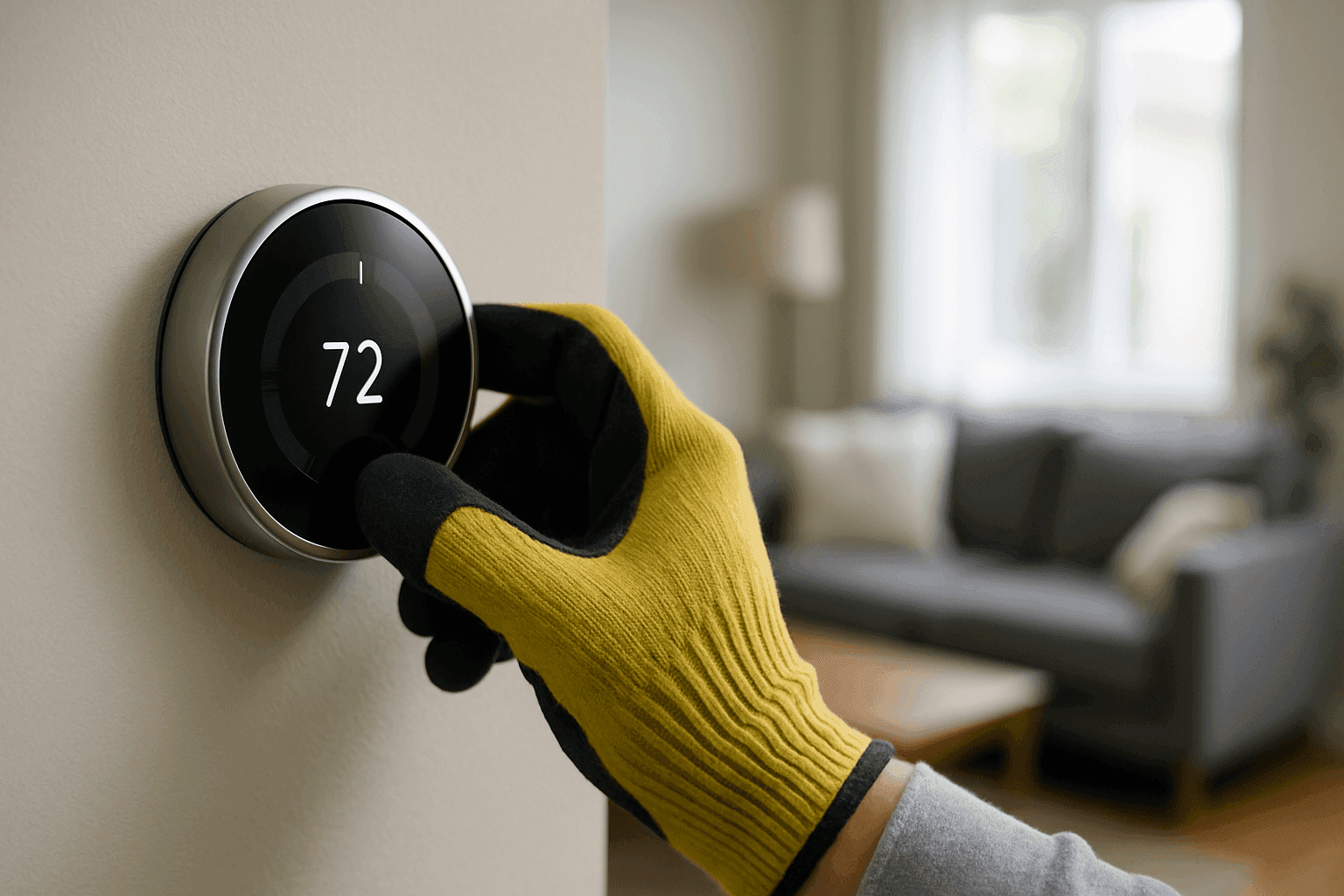
Sweat dripping from your brow in summer. Shivers running down your spine in winter. Your thermostat is the silent captain steering the ship of comfort at home or work. But with so many choices—smart, programmable, manual—how do you know which is best for you?
At Josh’s Heating & Cooling, we’ve walked customers through this maze for years. Our certified installers have seen every scenario, from bustling offices to cozy family rooms. Here’s what you need to know.
Thermostat Basics 🏠
Think of your thermostat as the brain of your heating and cooling system. It tells your furnace or AC when to kick on and when to rest, keeping your temperature just right. But not all thermostats are created equal.
Let’s break it down:
- Manual thermostats: Old school. You set the temperature by hand.
- Programmable thermostats: Set it and forget it. They follow a schedule you create.
- Smart thermostats: The new kid on the block. Connects to Wi-Fi, learns your patterns, and can be adjusted from your phone.
Why does this choice matter? The right thermostat can help control comfort, energy bills, and even indoor air quality.
Manual vs. Programmable vs. Smart
Manual Thermostats
Manual thermostats are like the reliable pickup truck—simple, sturdy, no frills. You twist a dial or press a button to get the temperature you want.
Pros:
- Easy to use, nothing fancy.
- Affordable upfront cost.
- Fewer parts to break.
Cons:
- No scheduling—if you forget to adjust, you waste energy.
- Not as precise as digital models.
Programmable Thermostats
Imagine having a personal assistant for your HVAC. That’s the magic of programmable thermostats. Set weekday and weekend schedules. Come home to comfort.
Pros:
- Saves energy by running less when you’re away.
- Most models let you set multiple schedules.
- Good for people with regular routines.
Cons:
- Takes time to program.
- Not as flexible if your schedule changes a lot.
Smart Thermostats
Smart thermostats are like having a weather-savvy butler. They learn your habits, adjust automatically, and send reminders. Compatible with phones and voice assistants.
Pros:
- Maximum control—change the temp from anywhere.
- Learns your schedule for hands-off savings.
- Tracks usage and can suggest adjustments.
- Can integrate with other smart devices.
Cons:
- Costs more upfront.
- Needs Wi-Fi and sometimes professional setup.
- Some features may be overkill for simple needs.
ENERGY STAR research shows that smart and programmable thermostats, when used properly, can save homeowners up to 8% on heating and cooling costs each year. That adds up fast.
Energy Savings
Heating and cooling can gobble up nearly half of your energy bill. The right thermostat is like having a traffic cop for your HVAC, directing energy only where and when it’s needed.
- Manual: Energy savings depend on your memory and habits.
- Programmable: Can save $50–$100 per year if you stick to a schedule, according to the U.S. Department of Energy.
- Smart: Can adjust for sudden weather changes, forgotten adjustments, or unpredictable schedules—often squeezing out even more savings.
Josh, one of our certified installers, shared this:
"We installed a smart thermostat for a busy family. Before, the furnace ran all day. After installation, their heating bill dropped by 12%. The thermostat knew when they left for work and school—it just turned things down automatically."
Installation Tips 🔧
Installing a thermostat isn’t as simple as swapping a lightbulb, but it’s not rocket science either. Here’s what you need to know:
- Turn off power at the breaker before starting.
- Label wires as you remove the old thermostat.
- Check compatibility—not all thermostats work with every HVAC system.
- Follow instructions or local building codes, including proper mounting height (usually 48–60 inches above the floor).
For smart thermostats, Wi-Fi setup and app installation are part of the game. Some older homes may need a “C-wire” (common wire) for smart models. If you’re unsure, it’s wise to call an HVAC Installation near you.
Which One is Right for You?
Let’s make this simple. Picture your daily routine:
- Always home, like things easy? Manual might be enough.
- Regular work hours, want to save money? Programmable is your friend.
- Unpredictable schedule, love tech? Smart is the way to go.
Commercial buildings often benefit from programmable or smart thermostats to keep employees comfortable and energy bills in check—even after hours.
Here’s a quick case study:
A local business owner upgraded from manual to programmable thermostats in their office. By setting a weekday schedule, they cut cooling costs by 10% without sacrificing comfort. That’s more money for the bottom line.
Practical Case Studies
Residential
Sarah, a homeowner in a drafty old house, installed a smart thermostat. Her heating system, managed through her phone, began learning when she was away and when she’d return. She reported fewer cold spots and a noticeable dip in her monthly bills.
Commercial
A chain restaurant with a rotating staff and unpredictable hours installed programmable thermostats. Each zone was set to match peak and off-peak times. Their HVAC system wasn’t running full blast overnight, and maintenance calls dropped by 20%.
Safety First: What to Watch For ⚠️
Before you start any installation, safety is key.
Here’s your quick checklist:
- Always shut off power to the HVAC system at the breaker.
- Check for lead paint or asbestos in older homes—never disturb materials you’re unsure about.
- Confirm your HVAC system is compatible with your new thermostat.
- Read the manufacturer’s instructions closely.
- If you smell gas or notice burning, call emergency hvac help immediately.
Installation: DIY or Call a Pro?
Some folks love a weekend project. Others want it done right, right now. Here’s how to decide:
- Manual and most programmable thermostats: Usually DIY-friendly if you’re comfortable with basic wiring.
- Smart thermostats: May require extra wiring or setup. If your system is older or the wiring looks confusing, call a certified installer.
A professional can ensure the thermostat is installed safely and works with your system—especially if you have radiant heating, mini-splits, or geothermal.
What Our Pros Do On Arrival
When you book Josh’s Heating & Cooling for thermostat installation or service, here’s what to expect:
- Inspect existing thermostat and wiring.
- Test HVAC system for compatibility.
- Safely remove old thermostat.
- Install and configure the new unit.
- Connect to Wi-Fi and demonstrate features (for smart models).
- Check operation and run system tests.
- Walk you through usage and settings.
Our certified technicians follow industry best practices and local code requirements for every install.
Preventive Maintenance and Upkeep
A thermostat doesn’t need much TLC, but a bit of attention can go a long way:
- Replace batteries annually (if battery-powered).
- Dust the unit gently—dust can mess with sensors.
- Check for loose wires during your annual HVAC Maintenance.
- Update app or firmware (for smart thermostats).
A well-maintained thermostat helps keep emergency hvac calls to a minimum.
Costs & Time Factors
How much does upgrading cost? Here’s what affects the price:
- Manual thermostats: Least expensive, typically $20–$50 for the unit.
- Programmable thermostats: $50–$150 depending on features.
- Smart thermostats: $120–$300+ for advanced models.
Installation by a professional usually takes under an hour, unless extra wiring is needed. Smart thermostats may take longer for setup and demonstration.
When It’s an Emergency
If your thermostat fails during extreme heat or cold, your building could become unsafe quickly. That’s when you need emergency hvac help. Signs of an emergency:
- No power to thermostat or HVAC system.
- System won’t turn on or off.
- Unusual smells or electrical sparks.
- Indoor temperature dips below 60°F or above 85°F for long periods.
If you’re ever in doubt, call for 24 Hour Emergency Service. Don’t risk your safety.
FAQ
What’s the most energy-efficient thermostat?
Smart thermostats tend to outperform others, especially if your schedule changes often. But even a programmable model can save plenty if used well.
Do I need Wi-Fi for a smart thermostat?
Yes, for most features. However, they can still function as basic digital thermostats without Wi-Fi.
Can I install a thermostat myself?
If you’re comfortable with wiring and your system is compatible, yes. Otherwise, let a pro handle it.
How often should I replace my thermostat?
Most last 10 years or more. Upgrade sooner if yours is malfunctioning or you want new features.
Local & Seasonal Considerations 🌦️
In regions with big temperature swings, a programmable or smart thermostat is a real asset. If your area experiences frequent power outages, look for a model with battery backup or consider generator installation for peace of mind.
For homes with radiant heating or mini-splits, compatibility is key—always check with a certified installer. Commercial spaces with high occupancy need robust, easy-to-manage controls.
Ready to upgrade your comfort and control?
Call Josh's Heating & Cooling now — or reach us anytime at 877-611-0277 .